

Building games with AI
Prompt patterns that get good results, and how the AI verifies its own work.
Godot MCP Studio gives your AI tools for working with your project and the live editor, but the results depend on how you direct it. The tool catalog lists the current tools and their editions.
Start from what exists
Ask the AI to look before it builds: "check the scene tree and project settings first" makes it call get_scene_tree and get_project_info instead of guessing. The generated AGENTS.md teaches this, but saying it in your first prompt helps every client.
Ask for outcomes, not steps
Good: "Make a third-person character that walks around this terrain with a camera that doesn't clip through walls." The AI picks add_body_3d, add_spring_arm, create_terrain, and wires input.
Less good: dictating each node by hand. The one-call builders exist so the AI can compose whole features; let it.
Make it prove the change works
The strongest pattern is the verify loop: "run the game and show me a screenshot", or "prove the jump works by monitoring the player's position". The AI can run the project, watch properties over time, simulate input, read the game's errors and output, and screenshot what the player sees. Ask for proof and it stops hallucinating success.
Placeholder art first
Ask for placeholder textures early. A playable gray-box game you can iterate on beats a beautiful scene that doesn't run. create_placeholder_texture, create_material_preset, and add_shader_preset keep things visible before real assets exist.
Turn a placeholder into game art
Once the scene works, replace one placeholder at a time. In Pro, use Image Studio to create or import artwork, then draw, animate, and export it.
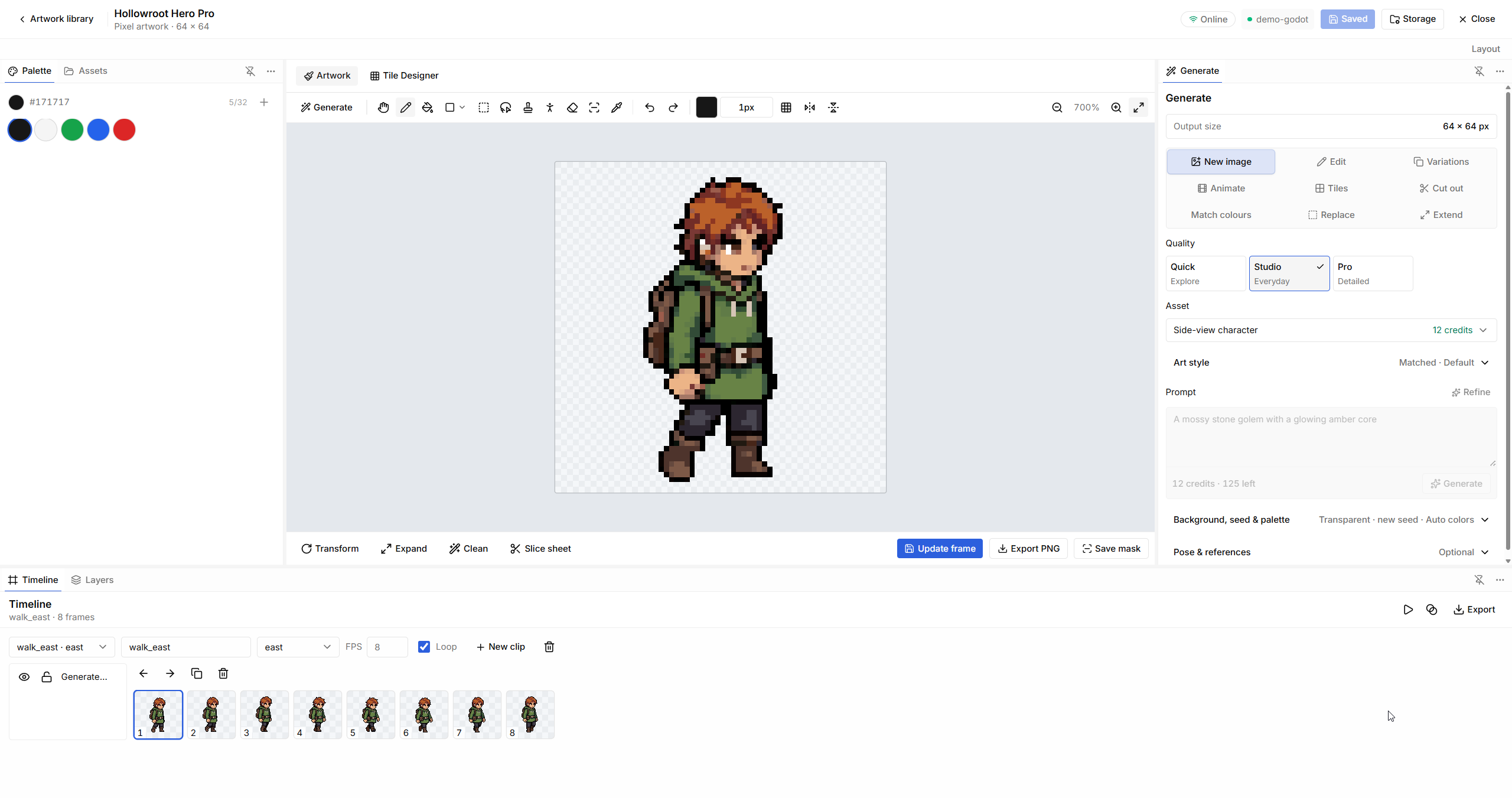
Use Image Studio's drawing and generation tools to refine your art. For generated assets, the prompting guide explains useful constraints for sprites, props, and tiles. Then ask your agent to use the exported PNG in the existing scene:
Replace only this prop's placeholder texture with my exported artwork. Preserve its position and gameplay behavior. Run the scene and show me that the new art has the intended scale and a transparent background.
When an agent proposes new AI-generated art, review the prompt and the credit quote in the app before it is submitted. Local drawing and PNG export do not use generation credits.
Use the editor as the safety net
Every scene edit goes through the editor's undo system: Ctrl+Z reverses the AI's last change like your own. Keep the project in git and let the AI commit working checkpoints; a clean history is the best undo of all.
Visual authoring belongs in the editor. Materials, textures, lights, collision, and layout should be saved into scenes or resources so you can inspect them before pressing Play. Runtime tools are for testing the saved game, not for creating permanent content that disappears when the game stops.
When it gets stuck
If a live tool reports "editor not connected", open the project in Godot with the addon enabled. If the AI can't find a class or property, ask it to use describe_class instead of guessing. And for anything the fixed tools don't cover, it can run a one-off editor script; Safe Edit asks you before each run.